How to Make a VS Video for TikTok and Shorts
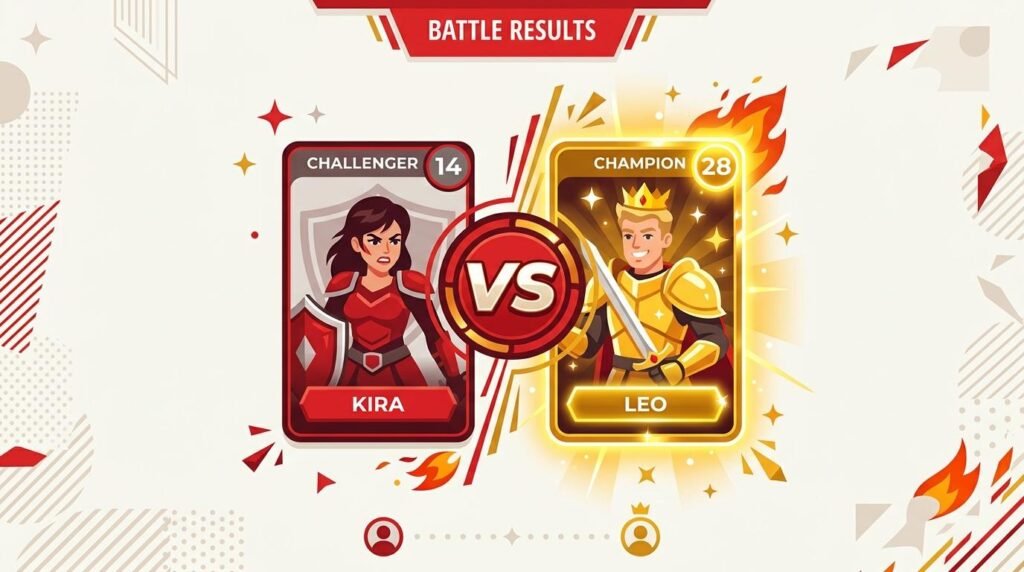
A head-to-head is one of the most engaging short-form formats, and learning how to make a VS video is easier than you think. With the right tool you can put two people, teams, or products on one screen, add a versus badge, and export a finished vertical video in minutes. This guide shows you how to make a VS video for TikTok, Shorts, and Reels with no editing skills.
Why VS Videos Get So Much Engagement
A VS video forces a choice. When viewers see two options side by side, they instinctively pick a side, and that instinct drives comments, shares, and rewatches. Rivalries and debates are endlessly replayable, which is exactly the kind of engagement short-form platforms reward with reach.
What Makes a Good Matchup
The best VS videos pit two things people genuinely argue about: two athletes, two consoles, two eras, or two brands. Choose a matchup with a real debate behind it, and pick a single clear metric to compare, such as followers, price, or titles won. A focused comparison is far stronger than a vague one.
How to Make a VS Video in 4 Steps
- Add both sides. Enter the two names and the value you are comparing for each.
- Choose the VS layout. This places both entries on one screen with a versus badge.
- Let the winner stand out. The higher number is highlighted automatically, so the stronger side is obvious.
- Record and download. Play it once, then save the vertical video for upload.
Design Tips for a Clean VS
Keep one matchup on screen at a time so the frame never feels crowded. Use large, readable numbers and short names. Add a photo for each side if you have one, since faces make a matchup feel personal. Keep important text in the center of the screen, away from the edges where platform buttons sit, so nothing important is hidden.
VS Video Ideas
Try Messi versus Ronaldo by trophies, iPhone versus Android by market share, one console generation versus another, or this year’s champion versus last year’s. Because you only change the data, a single VS format can power a long series of videos, which keeps your posting schedule full.
Publishing Your VS Video
Upload the finished file as a vertical Short. Write a title that names both sides, add a few relevant hashtags, and ask viewers to comment their pick. VS content is built for debate, so make it effortless for people to choose a side in the comments.
Choose the Right Metric
The metric you compare decides how convincing your VS video feels. Pick one clear, verifiable number that genuinely captures the rivalry, such as trophies for athletes, market share for products, or box office for films. Avoid vague measures viewers cannot check, because a comparison people cannot verify invites doubt. One strong, honest metric is more persuasive than several fuzzy ones, and it keeps the video short and focused.
Common VS Mistakes to Avoid
Two mistakes weaken most VS videos. The first is an unfair matchup, where the two sides are not really comparable, which viewers spot instantly. The second is clutter, where the screen holds too many stats and the contrast is lost. Keep it to two clear sides, one metric, and large readable numbers. When the comparison is clean and fair, the debate takes care of itself and the comments follow.
VS Format Variations to Try
Once the basic VS video works, you can vary it to keep your channel fresh. Try a best-of-three where two subjects face off across several metrics, revealing an overall winner at the end. Try a then-versus-now VS that pits a subject against its own past. Or run a bracket series, where daily VS videos build toward a final showdown your audience votes on in the comments. Each variation reuses the same simple setup, two sides and a number, so your production stays fast even as the content feels new. Series like these also give viewers a reason to return, because they want to see who advances, and that repeat visitation is some of the most valuable engagement a faceless channel can build.
Frequently Asked Questions
Do I need editing skills? No. If you can type two names and two numbers, you can make a VS video.
Can I compare more than two things? For more than two, use a scroll comparison or ranking layout instead.
Is it free? Yes, with a small watermark on the free version.
Make Your First Matchup
Now that you know how to make a VS video, open the free video generator and build one. Load a sample matchup, swap in your own two sides, and record your first head-to-head in a couple of minutes. For related formats, see how to make a comparison video and how to make a top 10 video.