How to Make a Comparison Video Without Editing Skills
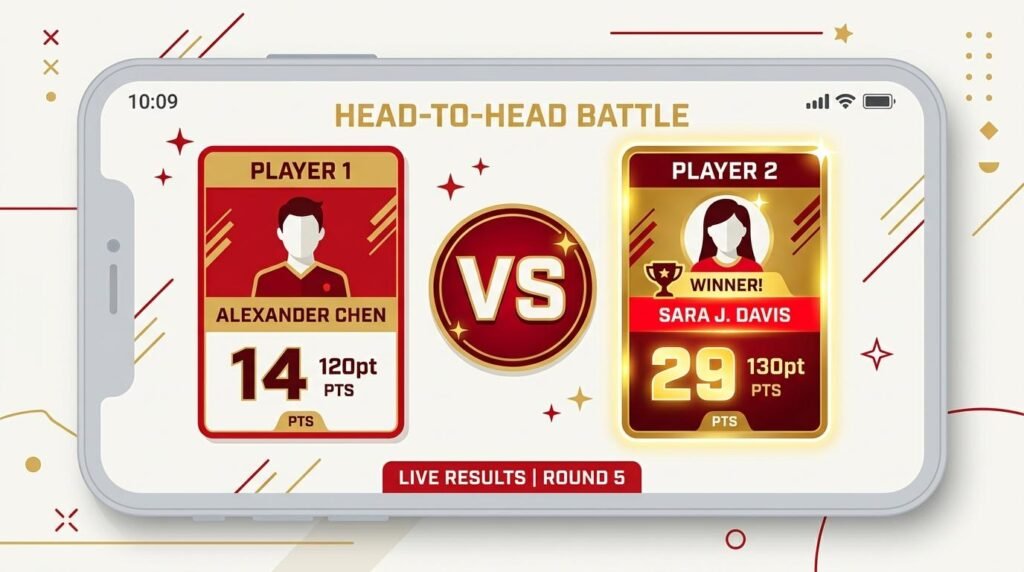
Learning how to make a comparison video used to mean wrestling with editing software. It does not anymore. With a browser-based tool you can put two people, products, or stats side by side and export a clean vertical video in minutes, with no editing skills required. This guide shows you exactly how to make a comparison video that holds attention and earns comments.
What Is a Comparison Video?
A comparison video lines up two or more things so viewers can judge them at a glance. It might be two athletes by followers, two phones by price, or two eras of the same subject. The format works because it turns a simple question, “which is better,” into something viewers feel compelled to weigh in on. That built-in debate is what drives comments and shares.
Scroll Comparison or VS: Which to Use
There are two main styles, and choosing the right one matters. A scroll comparison shows each entry on its own card, one after another, which suits longer lists of three or more items. A VS head-to-head puts two entries on a single screen with a versus badge, which is perfect for a direct rivalry like one legend against another. Our free video generator supports both, so you can match the layout to the story you are telling.
How to Make a Comparison Video in 4 Steps
- Enter your data. Add each name and the value you are comparing, such as followers, price, or points.
- Pick the layout. Choose the comparison layout for a list, or the VS layout for a two-way matchup.
- Style and order it. Set your colors and, for numbers, let the tool highlight the higher value automatically.
- Record and download. Play it once, then save the finished vertical video for upload.
Where to Find Reliable Data
Good comparison videos rest on good data. Use official sources where you can, such as verified social profiles for follower counts or manufacturer pages for specifications. Make sure you are comparing like with like, for example followers to followers, not followers to subscribers. Note the date of your figures, because numbers change, and an out-of-date comparison invites corrections in the comments. Clear, honest comparisons earn trust, and trust earns shares.
Make It Readable on a Phone
Most viewers watch on a small screen, so keep the on-screen text short and the numbers large. Show one comparison at a time rather than crowding the frame. Keep important text in the center of the screen, away from the edges where the platform places its buttons. A clean, uncluttered card is far more effective than one packed with detail.
Comparison Video Ideas
Some formats never run dry: male versus female records in the same sport, this year versus ten years ago, budget versus premium products, or one legend versus another. Because you only swap the data, you can turn a single idea into a whole series, which is exactly how faceless channels keep a steady posting schedule without running out of content.
Common Comparison Mistakes to Avoid
A few small errors can undermine an otherwise strong comparison video. The most common is mixing units, such as comparing one person’s followers to another’s subscribers, which quietly misleads viewers. Another is cramming too many numbers onto a single card, which becomes unreadable on a phone. Avoid comparing items that are not truly comparable, because viewers notice immediately and lose trust. Finally, do not bury your most interesting matchup at the end; lead with a strong pairing so people stay to the finish. Keeping these in mind will make every comparison video you produce clearer, fairer, and more shareable.
Publishing Your Comparison Video
Upload your finished file as a vertical Short. Use a title that states the matchup plainly, add a few relevant hashtags, and ask a question in the caption to invite debate. Comparison content naturally encourages people to pick a side, so make it easy for them to comment their choice.
Frequently Asked Questions
Do I need editing experience? No. This is built for creators with no editing skills.
Can I compare more than two things? Yes. Use the scroll comparison layout for longer lists, or VS for a straight two-way battle.
Where can I post it? Anywhere that takes vertical video, including YouTube Shorts, TikTok, and Reels.
Can I highlight the winner? Yes. In a VS layout the higher number is highlighted automatically, so the stronger side stands out without extra work.
How long should it be? Keep most comparison shorts between fifteen and forty seconds so the pace stays tight.
Try It Now
The best way to understand how to make a comparison video is to build one. Open the free video generator, load a sample, and replace it with your own matchup. If you prefer a countdown, read our guide on how to make a top 10 video.